


iGoogle Theme

Customize your iGoogle home page with the Carnegie Cyber Academy iGoogle theme!

iGoogle Thumbnail Click here to add the theme

Right click on an icon and choose "Save Image as" to download

Adware Virus Worm Spyware TrojanHorse

Ask Omni Omni Ask Omni Archives

June 2009

Q: What is Web 2.0?

A: When the Internet was first created, most of the information was delivered in a one-sided manner, from creator to viewer. Someone would create a Web site and you would go look at it to get the information. This is considered “Web 1.0,” or the “first” version of the Internet.

“Web 2.0” is a sort of second version of the Internet that allows people to have two-sided, back-and-forth communication and collaboration. Examples of Web 2.0 trends are socializing on social networking sites, running software applications through the browser, publishing blogs that other people can comment on, and sharing media through sites like YouTube and Flickr.

While the technology of the Internet has stayed the same for the most part, Web 2.0 has come about because developers and users are changing the way they use the Internet. Web 2.0 trends allow users to do a lot more than just get information.

If you think of Web 1.0 like watching a video about trees, Web 2.0 might allow you to ask questions about trees, let you comment on the video or share a story about trees, publish your own video or pictures of trees, and share the video with your friends in Cyberspace so they can see what you think, too.

Have a question for Commander Omni? Email it to: omni [AT] carnegiecyberacademy.com


Features

Alexi's notorious Scavenger Hunt is now available in an online version! Follow her clever clues and use the decoder to unlock secret puzzles and win bonus prizes.

Start the Hunt!

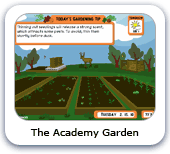
Dana and the Cadets have planted a garden at the Academy to help make the campus more "green." Check in all summer and watch it grow!

Visit the Garden!

Stuart the Safety Bot from the Carnegie Library of Pittsburgh and Dr. Keen's assistant Scout have teamed up to help spread the word about cyber safety.

Episode 1: Scout and Stuart meet

Animated Shorts

Trey's Green Life

Trey's Green Life
Trey does his best to live a "green" life. Do you know how many simple ways there are to help the environment?

Choose a Candidate

Choose a Candidate
Join Dana as she learns about how to research the candidates to make an informed choice.


Games
Game Archives

Erika and Alan have made some fun games for you!

Catch the Software Bugs

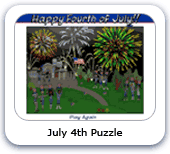
July 4th Puzzle
Celebrate Independence Day with an explosive jigsaw puzzle!

Catch the Software Bugs

Catch the Computer Bugs
Help Scout catch all the computer bugs before the new semester starts!

Catch the Software Bugs

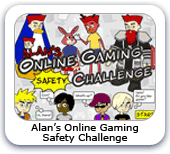
Alan's Online Gaming Safety Challenge
Do you know how to stay safe when playing online games? Try Alan's Challenge and find out!

Cyber Defense Tip Cryptograms

Cyber Defense Tip Cyptograms
Can you solve all of Dr. Keen's challenging cryptograms?

Betty's Netiquette Quiz

Betty's Netiquette Quiz
Are you a good Cyber Citizen? Take Betty's Quiz to test your netiquette know-how!
Cyber Defense Quiz

Cyber Defense Quiz
Have you been reading the blogs on the Academy Web site? Test your Cyber Defense knowledge with this Quiz!
Erika's Crossword Puzzle

Erika's Crossword Puzzle
Erika's kooky crossword puzzles will put your brain to the test!

Spot the Differences

Spot the Differences
How sharp is your eye? Can you beat the clock and find all the differences?

Dana's CyberReport

Dana's CyberReport
Help Dana finish her reports on Cyber Criminals so she can play!

Crazyman

Crazyman
Alan needs your help fixing his computer before he goes crazy!

Data Overload

Data Overload!
Help keep Scout from overloading his circuits by answering as fast as you can!

Dance Dance Malware

Dance! Dance! The Malware Game
The Malware is mocking you! Use your Cyber Defense know-how to defeat those dastardly dancers!

Trey's Word Hunt

Trey's Word Hunt
Kick back with Trey and hunt down some Cyber Defense words!

Desktop Wallpapers
Game Archives

Click on a size, then right click the image and choose "Save Image As" to download.

The Faculty's Summer Vacation

The Faculty's Summer Vacation
Click on a size:
800 x 600
1024 x 768
1600 x 1200

The Cyber Defenders Desktop Wallpaper

The Cyber Defenders
Click on a size:
800 x 600
1024 x 768
1600 x 1200

Cadet's Meeting Desktop Wallpaper

Carlo's Cadets Meeting
Click on a size:
800 x 600
1024 x 768
1600 x 1200

Break time Desktop Wallpaper

Break time
Click on a size:
800 x 600
1024 x 768
1600 x 1200

Officer Ward's Dreams

Officer Ward's Dreams
Click on a size:
800 x 600
1024 x 768
1600 x 1200

The Malware Desktop Wallpaper

The Malware
Click on a size:
800 x 600
1024 x 768
1600 x 1200